The CAD that finally feels modern.
CODE4 Dispatch brings 911 call-taking, dispatch, records, and the in-car mobile data terminal into one clean, fast system — designed for how officers and dispatchers actually work.

One platform — everything a shift needs
A full CAD & records suite — without the 2005 interface
The same core capabilities the big vendors ship, wrapped in an interface people actually want to use.
Live Map & Dispatch
Real streets, live unit tracking that follows the road, jurisdiction overlays, and a dense dispatch grid for calls and units at a glance.
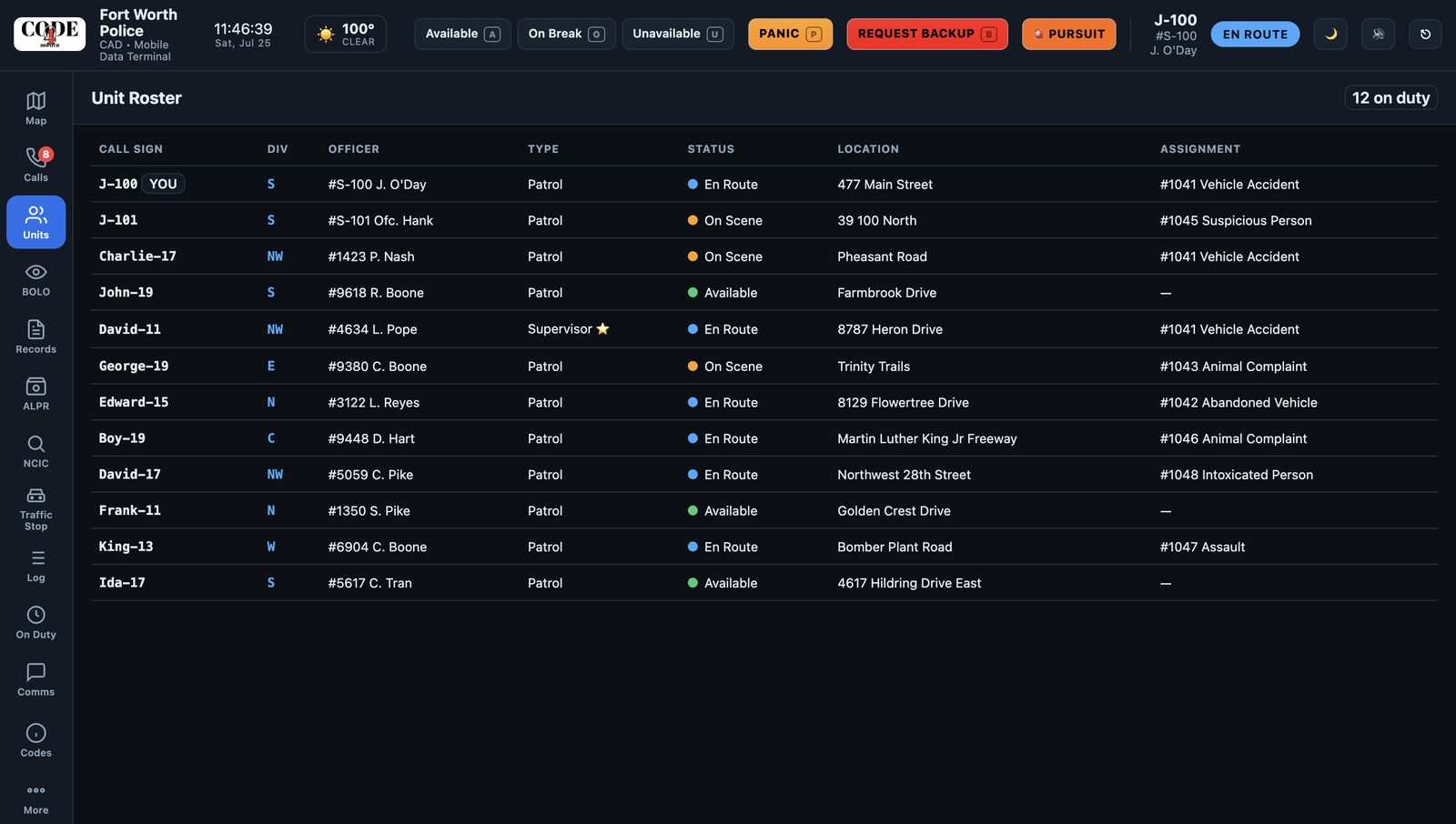
In-Car MDT
A clean mobile data terminal for the patrol officer — status, assigned calls, quick lookups, and one-tap actions built for the road.
eCitations
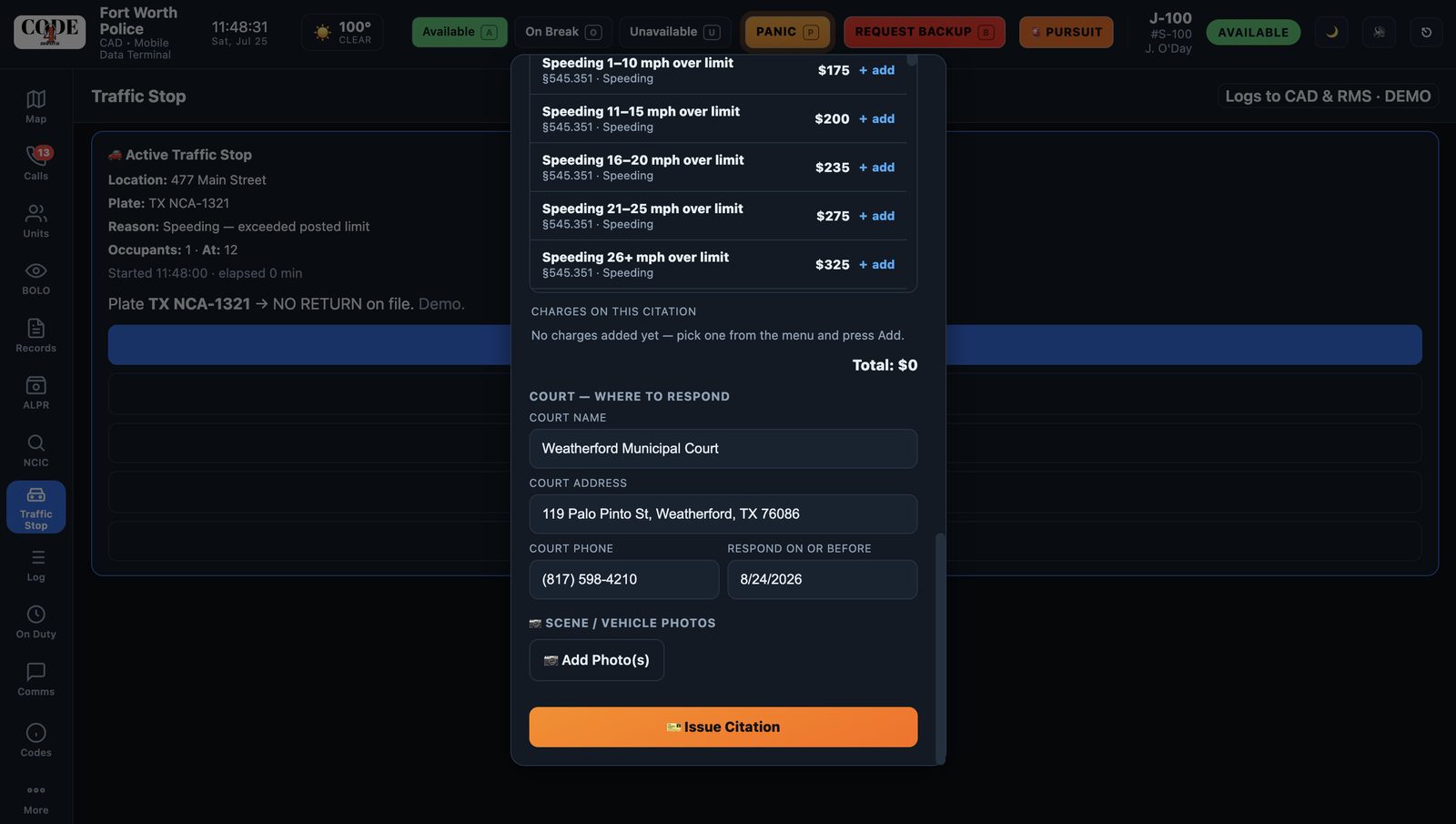
Scan a driver's license to auto-fill, pick from categorized violations, auto-populate the nearest court, print a receipt, and email a copy.
NCIC / TCIC Lookups
Run people and plates for wants, warrants, caution flags, and prior violations — right from the citation or the stop.
Master Name Index
One unified profile per person, linking their citations, cases, reports, vehicles, and prior contacts together.
Records / RMS
Incident reports, arrests/bookings, field interviews, warnings, and evidence — with supervisor review and shared case numbers.
Officer Safety
Panic and backup, pursuit / officer-in-trouble mode, premise caution flags on prior-incident addresses, and status timers.
Property & Evidence
Log items with category, disposition, and a full chain of custody — with photo attachments on every record.
Analytics
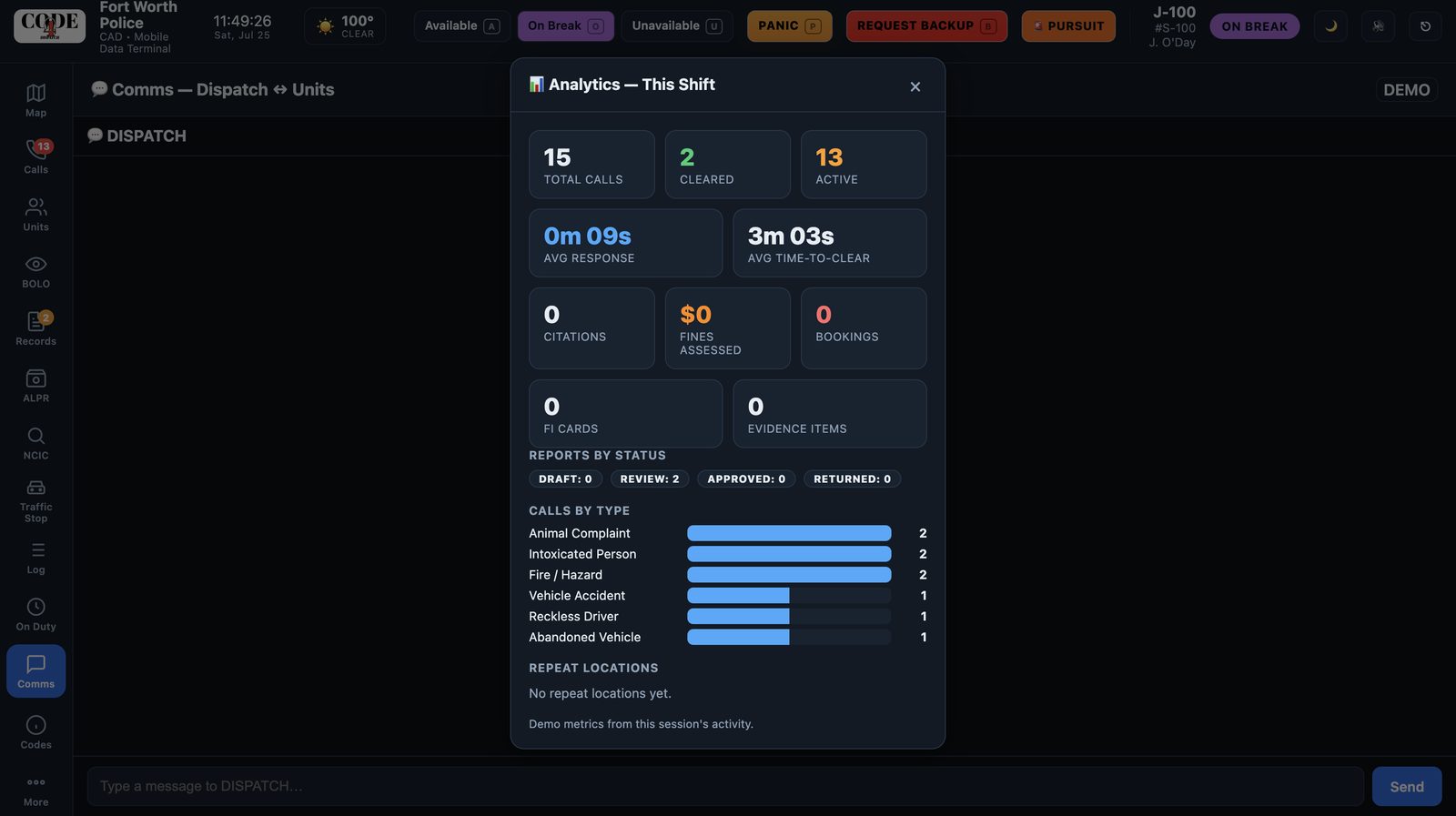
Response times, calls by type, citations and fines, bookings, and repeat-location hotspots — computed live.
Built for the whole shift
Each role sees exactly what they need — nothing they don't.
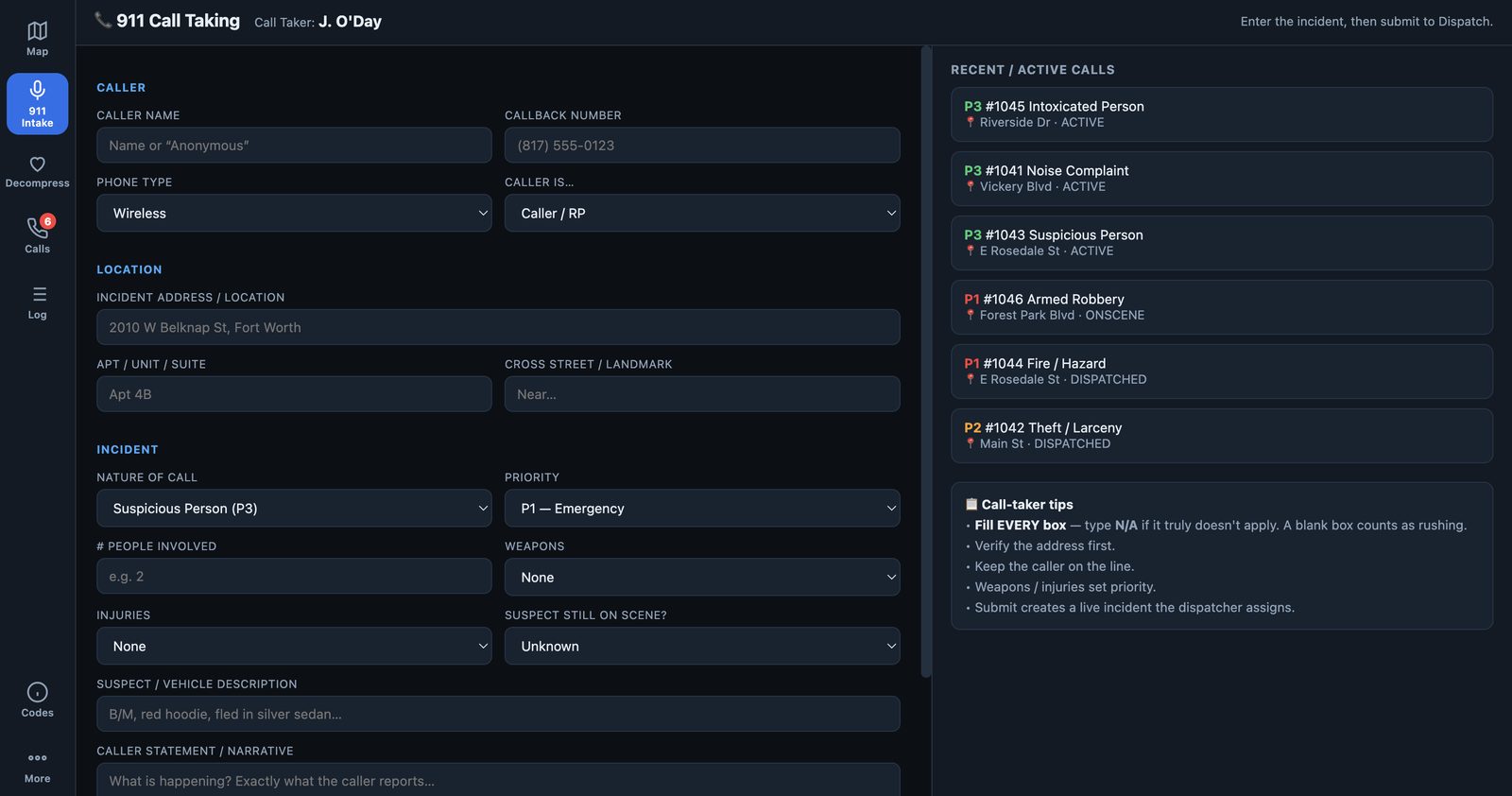
911 Call-Taker
A fast, form-first intake screen that turns a caller into a live incident and hands it to dispatch.
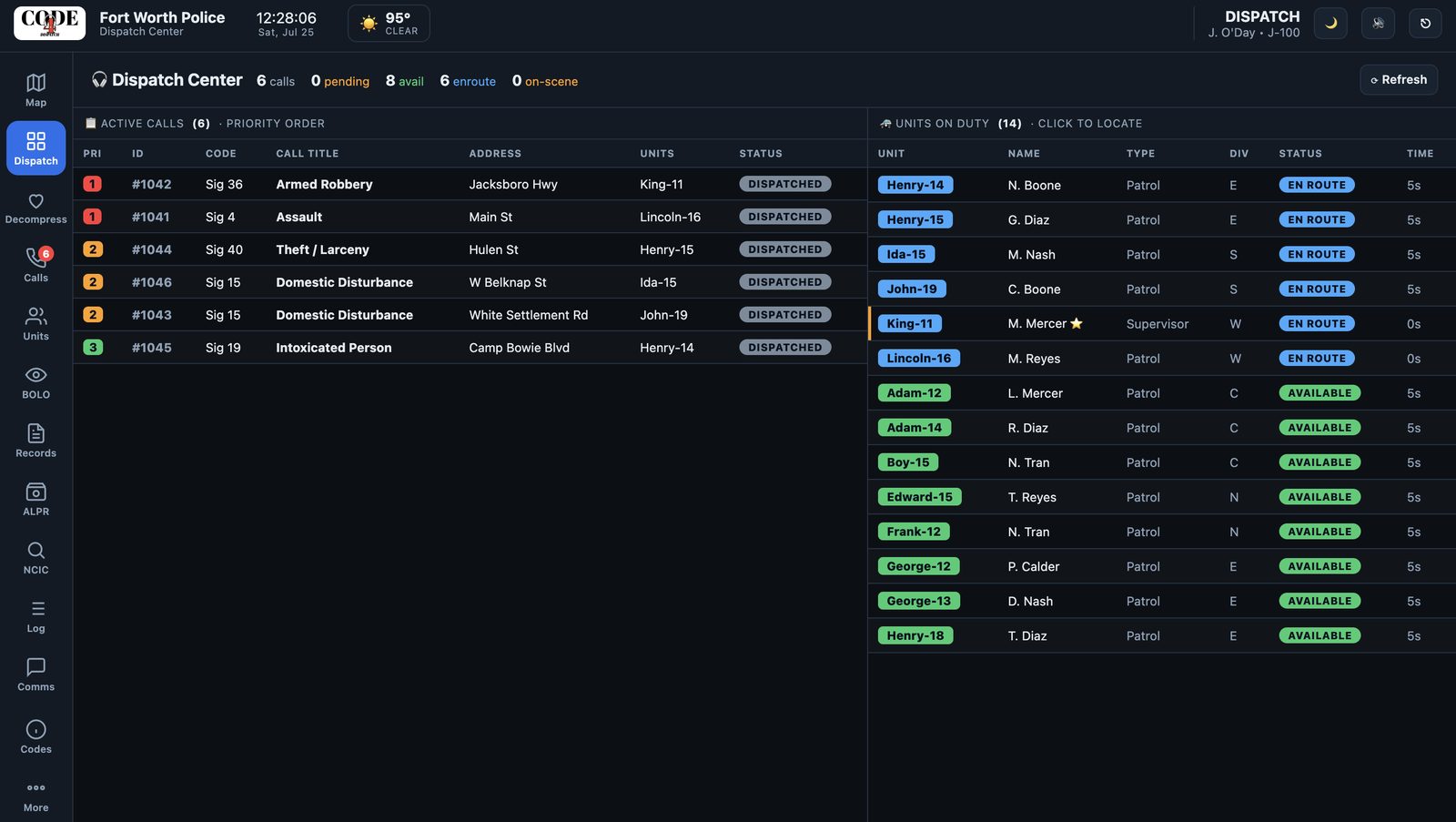
Dispatcher
The dense-grid console: watch every call and unit, assign the nearest units, and see call-taker notes and premise history.
Patrol Officer
The MDT in the car — status, calls, traffic stops, citations, lookups, and reports, all in reach.
Supervisor
Approve or return reports, watch the full shift roster, and keep eyes on unit status across the jurisdiction.
Not separate tools — one system
A 911 call, the citation an officer writes on the stop, and the report they file all share one incident case number — and every person ties back to a single profile. That's what makes it feel like real software, not a pile of forms.
- →Shared case numbers link a call to its citation and its report.
- →Master Name Index ties every person to their history.
- →Premise history surfaces prior activity at an address automatically.
The whole system, in the car
The officer's mobile data terminal is clean and fast — status at a glance, the active traffic stop front and center, and one tap to a citation, a lookup, or a report. No digging through menus at 2 a.m.
- →Scan & go — scan a license to auto-fill a citation.
- →Run people & plates for wants, warrants, and history.
- →Panic, backup & pursuit one tap away, always.

See it in action
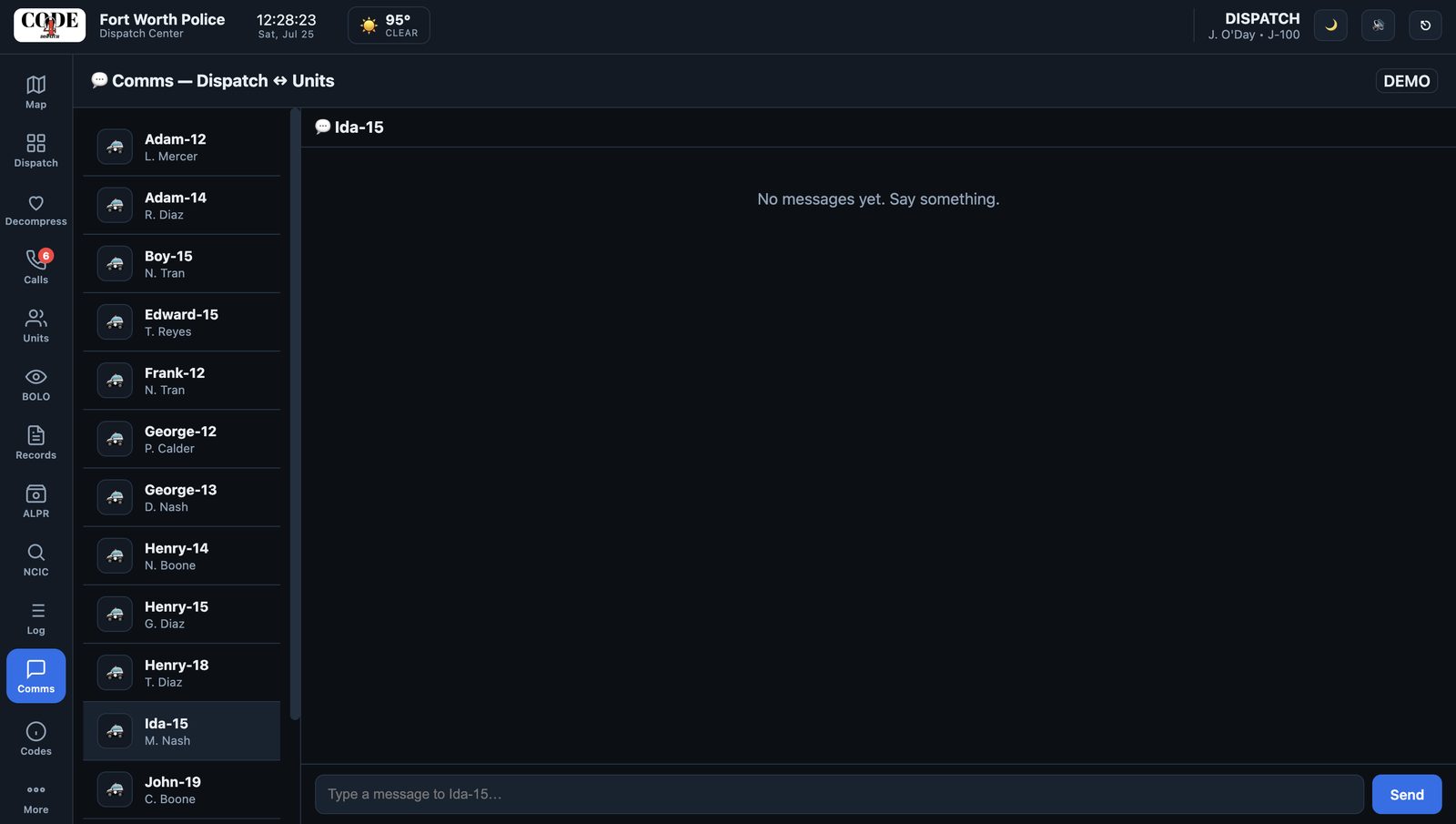
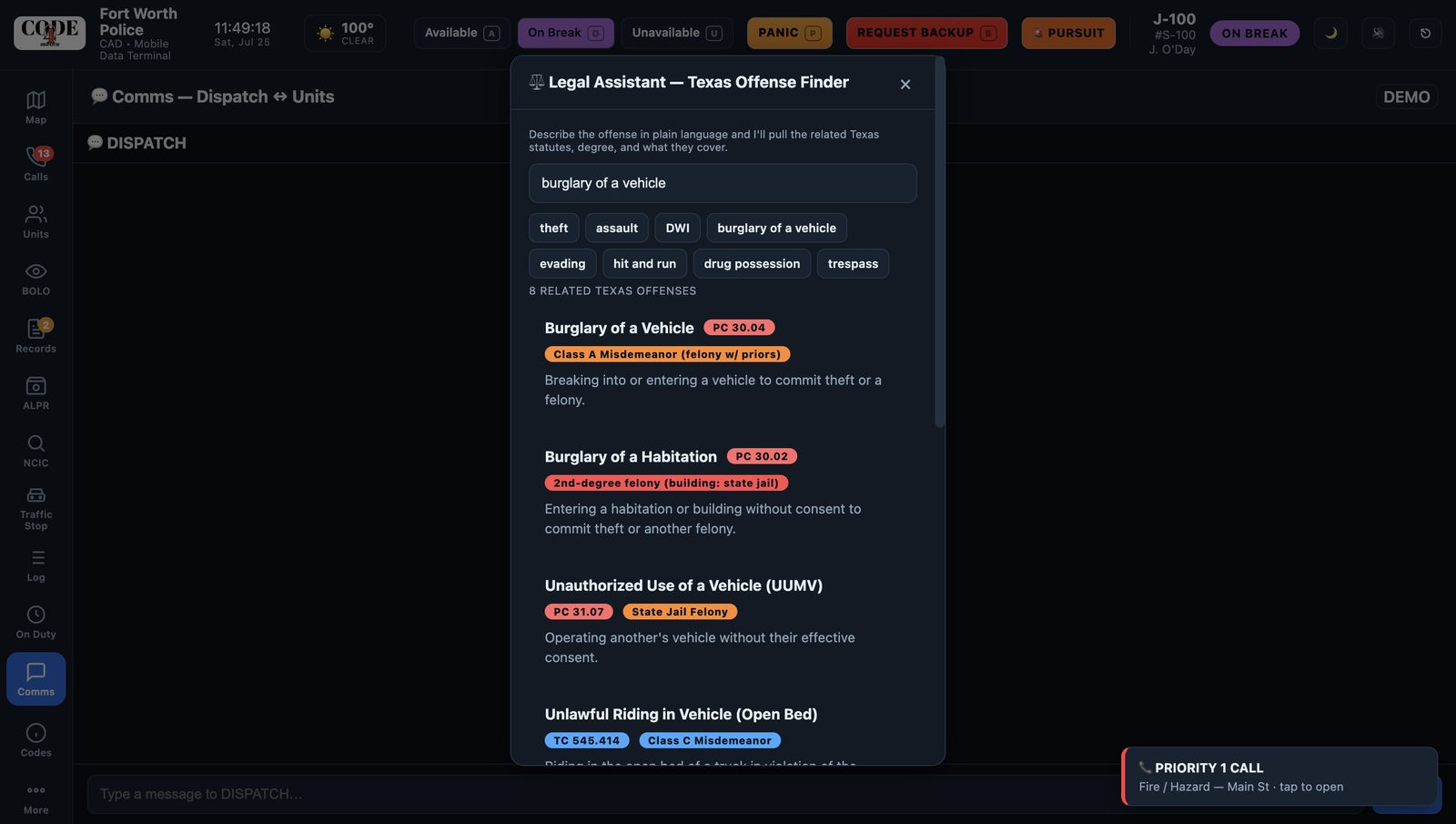
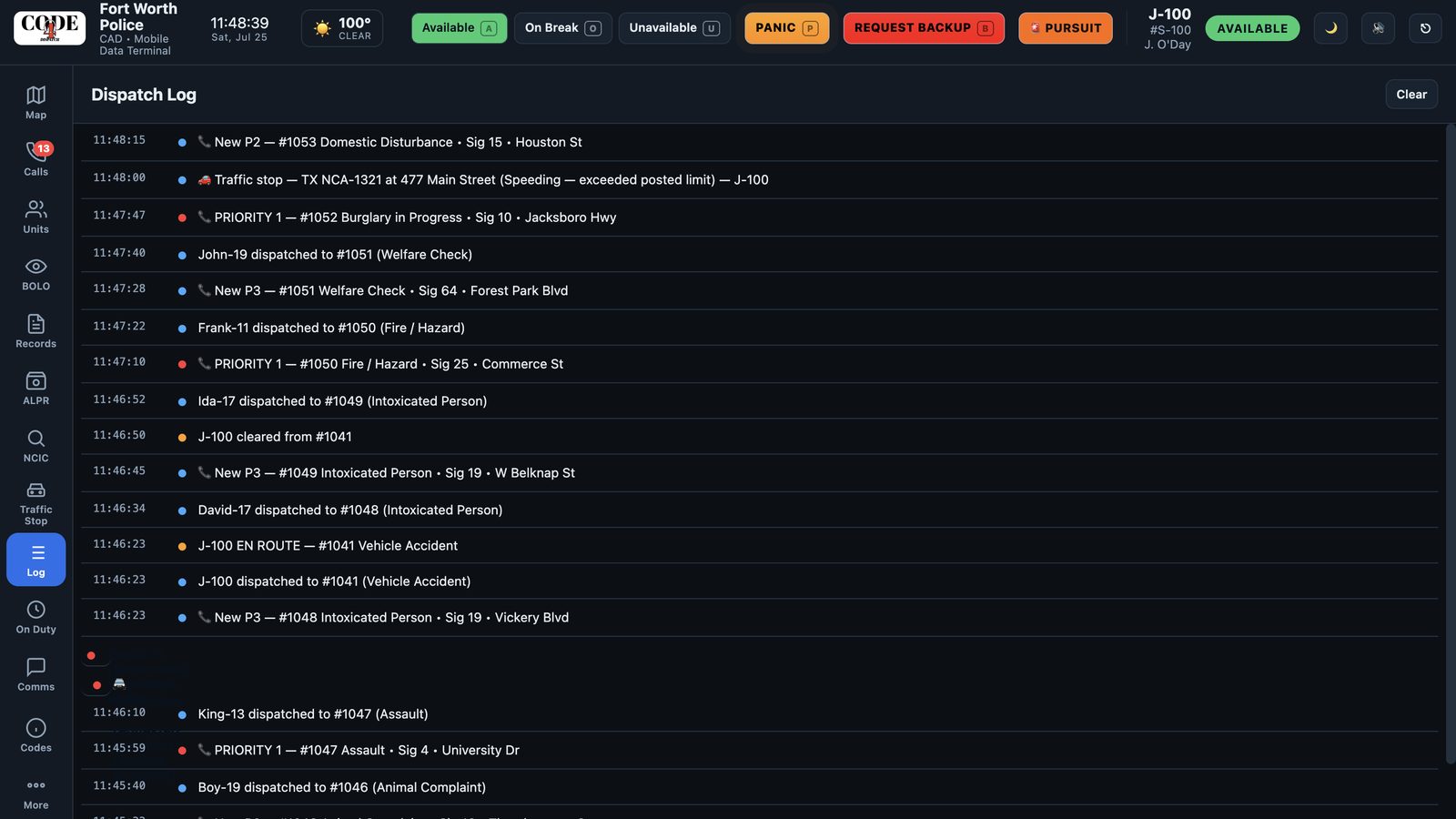
Actual screenshots from CODE4 Dispatch — the same system your dispatchers, call-takers, and officers use through a shift.
Legacy CAD vs. CODE4
Same core job — a very different experience for the people using it every shift.
🗄️ Legacy CAD TYPICAL
- ✗Dense, dated interface built for a mouse and a desk
- ✗Separate tools for CAD, records, citations, and the car
- ✗Re-typing the same person across every screen
- ✗Six-figure installs and long rollouts
- ✗Little officer-safety context surfaced on a call
🛡️ CODE4 Dispatch MODERN
- ✓Clean, fast interface that works on a laptop or tablet
- ✓CAD, records, citations, and the MDT in one system
- ✓One person profile links every citation, case, and report
- ✓Web-based — try the whole thing in a browser today
- ✓Premise caution flags and unit status timers built in
Security-first, by design
CODE4 is being built around the controls law enforcement software is held to — so it's ready for the compliance conversation.
CJIS-Aligned
Designed around the FBI CJIS Security Policy controls agencies require.
Access Control
Role-based access and multi-factor authentication for every user.
Full Audit Trail
Every query and record access is logged — who, what, and when.
Encrypted
Data protected in transit and at rest on CJIS-eligible infrastructure.
CODE4 Dispatch is currently a working demonstration platform. Live connections to NCIC/TCIC and state databases are provided through a sponsoring agency's authorized access under CJIS. Compliance and integrations are established per-department during onboarding.
Dispatch software shouldn't feel like it was built in 2005. CODE4 gives every seat on the shift a tool that's fast, clear, and actually built for the work.— James O'Day, Founder, CODE4 Dispatch
From demo to deployed
No massive install project. Three steps, at your pace.
See a walkthrough
We walk your team through the full workflow — dispatch, the MDT, citations, records — end to end.
Run a pilot
We set your agency up with a guided pilot so your team can try it against real shifts and give feedback.
Go live
CJIS onboarding, court and state-reporting integrations, and rollout — handled with your department.
Frequently asked
Is this connected to real NCIC data? +
Walkthroughs use realistic sample data so you can see the full workflow. Real NCIC/TCIC access is provided through a sponsoring agency's authorized connection under CJIS during onboarding — it's not something a vendor can (or should) connect on its own.
Who is CODE4 built for? +
Municipal and county police departments — from small agencies to mid-size cities. It covers the whole shift: 911 call-takers, dispatchers, patrol officers on the MDT, and supervisors.
Can we try it before committing? +
Absolutely. Reach out and we'll walk your team through the whole system — dispatcher console, in-car MDT, citations, records — and set up a pilot for your department.
Does it replace our records system? +
CODE4 includes CAD, an in-car MDT, and a records/RMS layer in one connected system, so a call, its citation, and its report all share a case number. Integrations with courts and state reporting are set up per-department.
See CODE4 in action
Reach out to schedule a walkthrough or talk about a pilot for your department.